
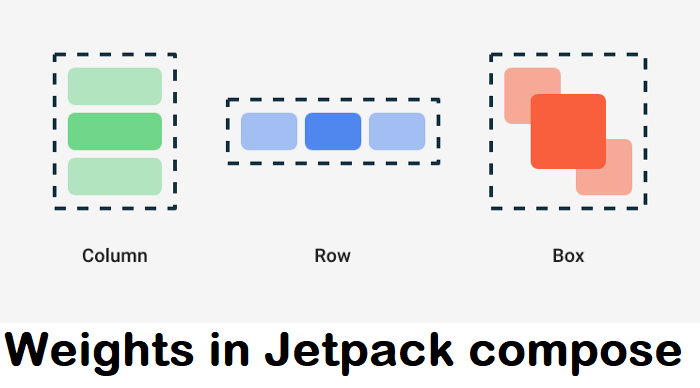
Short answer: Modifier.weight(x) makes children inside a Row or Column share the leftover space in proportion to their weights. A child with weight(2f) gets twice as much space as a sibling with weight(1f). It is the Compose equivalent of layout_weight in the old XML LinearLayout.
How weight works
A Row or Column first measures children that have no weight. Then it divides the remaining space between the weighted children according to their weight values. Weight only works on direct children of a Row or Column, because weight is defined in RowScope and ColumnScope.
Example 1: equal and proportional widths in a Row
@Composable
fun WeightRowExample() {
    Row(
        modifier = Modifier
            .fillMaxWidth()
            .height(80.dp)
    ) {
        Box(
            modifier = Modifier
                .weight(1f)
                .fillMaxHeight()
                .background(Color(0xFF90CAF9)),
            contentAlignment = Alignment.Center
        ) { Text("1") }

        Box(
            modifier = Modifier
                .weight(2f)
                .fillMaxHeight()
                .background(Color(0xFFA5D6A7)),
            contentAlignment = Alignment.Center
        ) { Text("2") }

        Box(
            modifier = Modifier
                .weight(1f)
                .fillMaxHeight()
                .background(Color(0xFFFFCC80)),
            contentAlignment = Alignment.Center
        ) { Text("1") }
    }
}
The total weight is 4, so the boxes take 25%, 50% and 25% of the width.
Example 2: header, scrolling content and footer in a Column
A very common layout has a fixed header and footer, with the middle area filling whatever space is left:
@Composable
fun ScreenLayout() {
    Column(modifier = Modifier.fillMaxSize()) {
        Text(
            text = "Header",
            modifier = Modifier.fillMaxWidth().padding(16.dp),
            style = MaterialTheme.typography.titleLarge
        )

        LazyColumn(modifier = Modifier.weight(1f)) {
            items(50) { index ->
                Text("Item " + (index + 1), modifier = Modifier.padding(16.dp))
            }
        }

        Button(
            onClick = { },
            modifier = Modifier.fillMaxWidth().padding(16.dp)
        ) { Text("Continue") }
    }
}
Without weight(1f) on the list, the footer button could be pushed off screen. With it, the list uses the space between header and footer and scrolls inside it.
The fill parameter
weight(weight, fill = true) by default makes the child fill the space assigned to it. With fill = false, the child can be smaller than the space it was given, so it takes only what it needs but never more than its share:
Row(Modifier.fillMaxWidth()) {
    Text(
        text = "A long title that may wrap when space is short",
        modifier = Modifier.weight(1f, fill = false)
    )
    Icon(Icons.Default.Info, contentDescription = null)
}
This keeps the icon visible next to the text even when the text is long.
weight vs fillMaxWidth(fraction)
| Modifier.weight | fillMaxWidth(0.5f) | |
|---|---|---|
| Based on | Space left after non-weighted children | A fraction of the parent’s full width |
| Where it works | Direct children of Row or Column | Any composable |
| Best for | Sharing remaining space | Fixed percentage sizes |
Common mistakes
- Using weight outside a Row or Column. It is not available in a Box or on a nested child that is not a direct child.
- Using weight in a scrolling container. A Column with
verticalScrollhas unbounded height, so there is no leftover space to share. Give the scrolling list the weight instead of putting weighted children inside a scrolling Column. See our scrollable Column guide. - Setting a fixed size and a weight on the same axis. The weight decides the size on the main axis, so do not also set
widthin a Row. - Forgetting to fill the cross axis. Add
fillMaxHeight()in a Row orfillMaxWidth()in a Column if you want weighted children to stretch.
FAQ
What is Modifier.weight in Jetpack Compose?
It sets how a child shares leftover space in a Row or Column, in proportion to its weight.
What replaces layout_weight in Compose?
Modifier.weight() inside a Row or Column.
How do I split a Row into equal parts?
Give each child Modifier.weight(1f).
How do I make a view fill the remaining space?
Give it Modifier.weight(1f) after the fixed-size children in the same Row or Column.
See also: grids in Jetpack Compose, LazyColumn lists and all Jetpack Compose tutorials.