
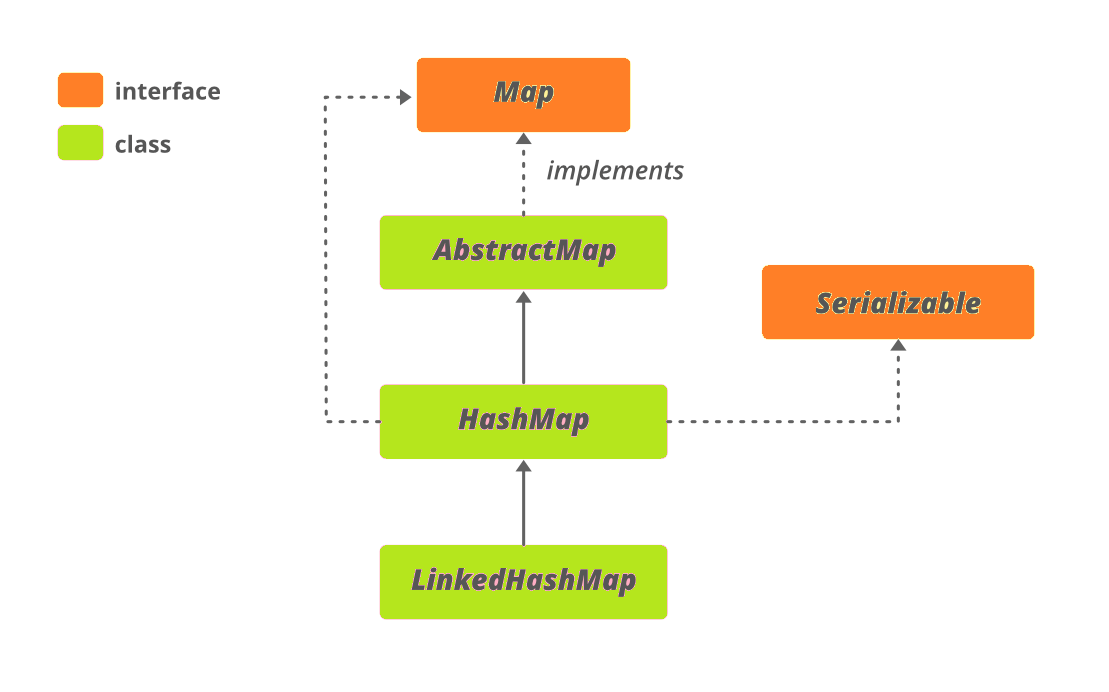
Short answer: a HashMap in Java stores key-value pairs in an array of buckets. It uses the key’s hashCode() to choose a bucket, which makes get and put run in constant time on average. It allows one null key, allows null values, does not guarantee order and is not thread-safe.
This guide covers how to use HashMap, how it works internally, and the mistakes that cause bugs. The behavior described matches Java 8 and later.
Basic HashMap usage
import java.util.HashMap;
import java.util.Map;

public class Demo {
    public static void main(String[] args) {
        Map<String, Integer> scores = new HashMap<>();

        scores.put("Asha", 90);
        scores.put("Ravi", 85);
        scores.putIfAbsent("Ravi", 70);   // ignored, key exists

        System.out.println(scores.get("Asha"));            // 90
        System.out.println(scores.getOrDefault("Meera", 0)); // 0
        System.out.println(scores.containsKey("Ravi"));    // true

        scores.merge("Asha", 5, Integer::sum);             // 95
        scores.remove("Ravi");

        for (Map.Entry<String, Integer> e : scores.entrySet()) {
            System.out.println(e.getKey() + " = " + e.getValue());
        }
    }
}
How HashMap works internally
- Hashing: when you call
put(key, value), Java computeskey.hashCode()and mixes the bits to spread values evenly. - Bucket index: the hash is mapped to an index in an internal array (the table) using the table size.
- Store the entry: if the bucket is empty, the entry is stored there. If not, Java compares keys using
equals(). A matching key has its value replaced. A different key is added to that bucket (a collision). - Collisions: entries in the same bucket form a linked list. In Java 8 and later, when a bucket grows to 8 entries and the table has at least 64 slots, the list becomes a balanced tree, which keeps lookups fast in the worst case.
- Resizing: the default capacity is 16 and the default load factor is 0.75. When the number of entries exceeds capacity times load factor (12 by default), the table doubles in size and entries are redistributed.
The equals and hashCode contract
If you use your own class as a key, you must override both equals() and hashCode(), and equal objects must return the same hash code. Otherwise lookups fail.
import java.util.Objects;

public class Point {
    private final int x;
    private final int y;

    public Point(int x, int y) { this.x = x; this.y = y; }

    @Override
    public boolean equals(Object o) {
        if (this == o) return true;
        if (!(o instanceof Point)) return false;
        Point p = (Point) o;
        return x == p.x && y == p.y;
    }

    @Override
    public int hashCode() {
        return Objects.hash(x, y);
    }
}
Use immutable keys such as String or Integer whenever you can. If a key changes after it is stored, its hash code changes and you may never find the entry again.
Time complexity
| Operation | Average | Worst case |
|---|---|---|
| get, put, remove, containsKey | O(1) | O(log n) with tree buckets (O(n) with a poor, non-comparable hashCode) |
| Iteration | O(capacity + size) | O(capacity + size) |
HashMap vs other maps
| Class | Order | Thread-safe | Null keys |
|---|---|---|---|
| HashMap | None guaranteed | No | One null key allowed |
| LinkedHashMap | Insertion order (or access order) | No | One null key allowed |
| TreeMap | Sorted by key | No | No null keys by default |
| Hashtable | None guaranteed | Yes (synchronized, legacy) | No null keys or values |
| ConcurrentHashMap | None guaranteed | Yes, high concurrency | No null keys or values |
For multi-threaded code, use ConcurrentHashMap instead of a plain HashMap or the older Hashtable.
Common mistakes
- Relying on iteration order. HashMap order is not guaranteed and can change when the map resizes. Use
LinkedHashMaporTreeMapif order matters. - Mutable keys. Changing a key after insertion breaks lookups.
- Missing hashCode override. Overriding
equals()withouthashCode()makes equal objects land in different buckets. - Sharing a HashMap between threads. Concurrent writes can corrupt the map or lose data. Use
ConcurrentHashMap. - Modifying the map while iterating. This throws
ConcurrentModificationException. Use the iterator’sremove()orremoveIf. - Not sizing large maps. If you know roughly how many entries you will store, pass an initial capacity to avoid repeated resizing.
HashMap in Kotlin and Android
In Kotlin, mutableMapOf() and hashMapOf() create a LinkedHashMap and a HashMap respectively. On Android you can also use ArrayMap and SparseArray for small collections to save memory. See our Kotlin vs Java comparison for more on both languages.
FAQ
How does HashMap work in Java?
It hashes each key to pick a bucket in an array, stores the entry there, and handles collisions with a linked list that becomes a tree when it gets long.
Is HashMap thread-safe?
No. Use ConcurrentHashMap or wrap it with Collections.synchronizedMap when several threads modify it.
Can a HashMap have a null key?
Yes, one null key and any number of null values.
What is the default capacity and load factor?
The default capacity is 16 and the load factor is 0.75.
What is the difference between HashMap and Hashtable?
Hashtable is a legacy, synchronized class that does not allow null keys or values. HashMap is unsynchronized, faster in single-threaded code and allows nulls.
Keep learning with our data structures tutorials and Android tutorials for beginners.