
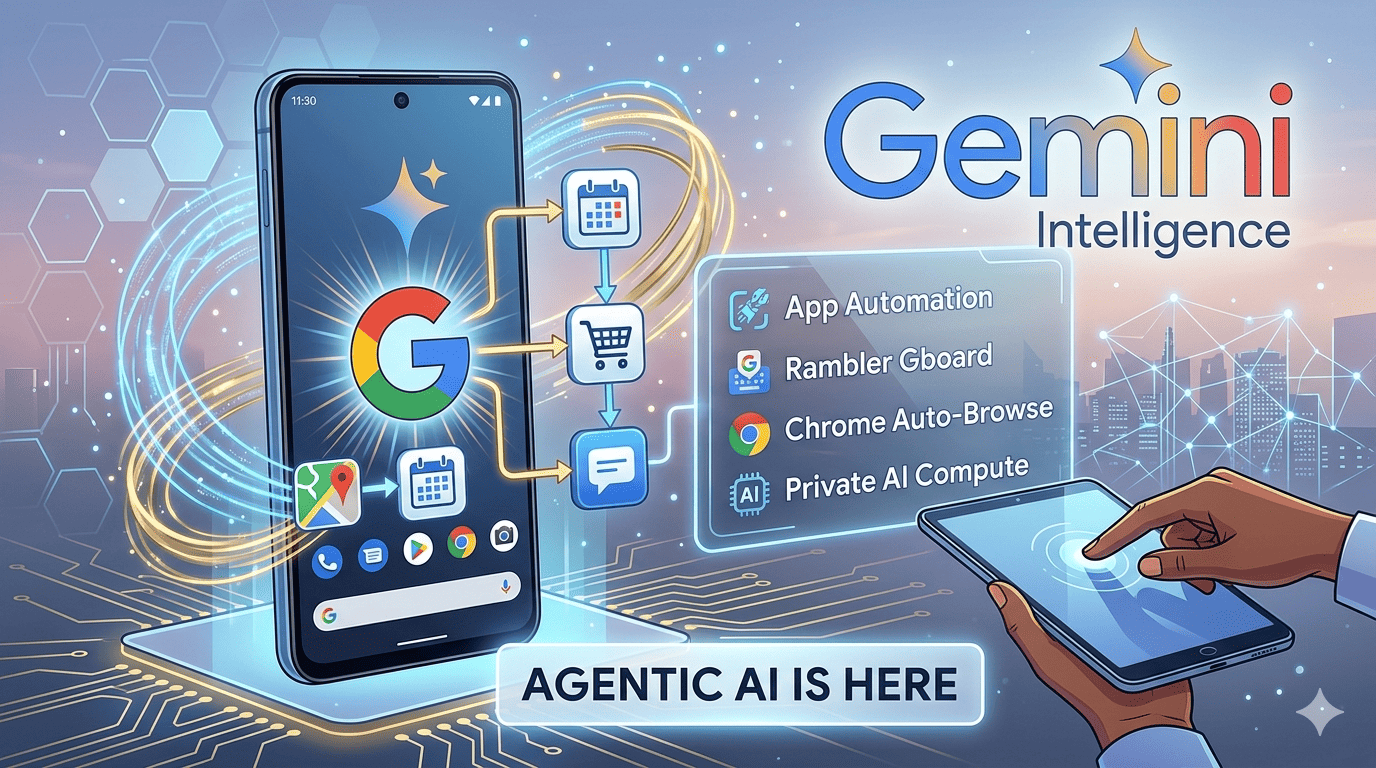
Google’s Gemini Intelligence turns Android into a proactive AI agent. Explore multi-step app automation, Rambler for Gboard, and the Chrome Auto-browse.
Key Takeaways
-
Gemini Intelligence is an “agentic” layer, not just a chatbot, capable of performing multi-step tasks across third-party apps.
-
Feature Highlights: “Rambler” for polished voice-to-text and “Auto-browse” for autonomous web bookings.
-
Privacy First: On-device processing via Private AI Compute handles sensitive data, while the cloud powers high-fidelity transcription.
-
Launch: Summer 2026 for Pixel 10 and Galaxy S26 series.
The Evolution of Android: Introducing Gemini Intelligence
At The Android Show 2026, Google officially pivoted from an operating system to an intelligence system. While last year was about integrating generative AI into apps, Gemini Intelligence represents a fundamental architectural shift. It is an agentic layer that doesn’t just answer questions; it executes workflows.
Unlike traditional Google Assistant, which requires specific API hooks for every command, Gemini Intelligence uses visual context and screen reading to navigate your phone exactly like a human would—scrolling, tapping, and typing on your behalf.
App Automation: The End of “App-Hopping”
The hallmark of Gemini Intelligence features for Android is multi-step automation. During the keynote, Google demonstrated a “Syllabus-to-Shopping” workflow.
By long-pressing the power button over a PDF syllabus in Gmail, Gemini identified the required textbooks, searched for the lowest prices on Amazon and Chegg, and built a unified shopping cart.
-
Visual Context: Gemini uses on-device OCR to “see” what is on your screen without the developer needing to update the app.
-
Action Chaining: It can bridge the gap between a Note, a Calendar event, and a Ride-sharing app (like Uber or Lyft) to ensure you arrive at an appointment it just booked.
Project Rambler: Gboard’s Cure for Verbal Friction
We’ve all experienced the “um” and “ah” filled voice note. Rambler, a new engine within Gboard, uses a distilled version of Gemini 2.5 Flash to transcribe and polish speech in real-time.
-
Filler Removal: It strips “likes” and “ums” automatically.
-
Code-Switching: Specifically optimized for multilingual users, Rambler handles mid-sentence language flips (e.g., English to Hindi) without losing context.
-
Privacy Note: While the transcription happens in a secure cloud bucket for accuracy, the audio is never stored or used for model training.
Chrome Auto-Browse: Your Personal Web Agent
Perhaps the most “proactive” feature is Gemini in Chrome. Starting in late June 2026, a new “Auto-browse” mode will allow Gemini to handle “digital chores” on the web.
-
Booking & Reservations: Ask Gemini to “find a table for four at a highly-rated Italian spot near the theater on Friday,” and it will navigate OpenTable or Resy to find a slot, only prompting you for the final “Confirm” tap.
-
Information Gain – The Subscription Tier: It is important to note that while basic summaries are free, Auto-browse is currently gated to Gemini AI Pro and Ultra subscribers in the US and UK.
The Tech Under the Hood: Private AI Compute
A major concern with “agentic” AI is privacy. If an AI can read your screen, can it see your bank balance? Google addressed this with Private AI Compute.
This is a hardware-isolated environment on the Tensor G5 and Snapdragon 8 Gen 5 chips. When Gemini “reads” your screen to fill a form, that data is processed locally. It only reaches the cloud when you explicitly ask for a high-compute task, like generating a 3D custom widget via the new “Create My Widget” tool.
The Road to “Aluminium”: Android and ChromeOS Convergence
While Google didn’t use the name on stage, Gemini Intelligence is the first major step toward the internal project codenamed “Aluminium.” By moving the heavy lifting of the UI to an AI agent, the distinction between a mobile OS and a desktop OS begins to blur. Gemini Intelligence acts as the universal translator between your intent and the software’s execution, whether you are on a Pixel Fold or a new Googlebook laptop.
Frequently Asked Questions (FAQ)
Which phones support Gemini Intelligence?
The rollout begins Summer 2026 for the Google Pixel 10 series and the Samsung Galaxy S26. Older flagships (Pixel 8/9, S24/25) will receive a “Lite” version of these features via a Feature Drop in late 2026.
Is Gemini Intelligence always listening or watching?
No. Gemini Intelligence is “on-demand.” It only activates its screen-reading or microphone capabilities when you summon it via the power button, a gesture, or the “Hey Google” wake word.
What is the difference between Google Assistant and Gemini Intelligence?
Assistant is a “command-and-response” tool. Gemini Intelligence is an “agent.” Assistant can set a timer; Gemini Intelligence can find a recipe, check your fridge inventory via a smart camera, and order missing ingredients on Instacart.
Does Rambler work offline?
Basic transcription works offline, but the “Polishing” and “Style Transfer” (e.g., turning a voice note into a professional email) requires an active 5G or Wi-Fi connection.
How do I disable Gemini’s screen reading?
You can opt-out entirely in Settings > Google > Gemini > Personal Intelligence. You can also whitelist specific apps (like banking or health apps) so Gemini can never “see” them.