
This is where corporate offices use announcements as a way of keeping their employees up to date. Traditionally, announcements were done through emails or physical copies. However, the use of visual communication is becoming more effective. With the aid of AI technology, it is now possible to generate posters that contain announcements.
Dreamina provides an AI image generator that helps users design posters that contain announcements. Instead of using the design option to create the announcement poster, the user simply describes it visually.

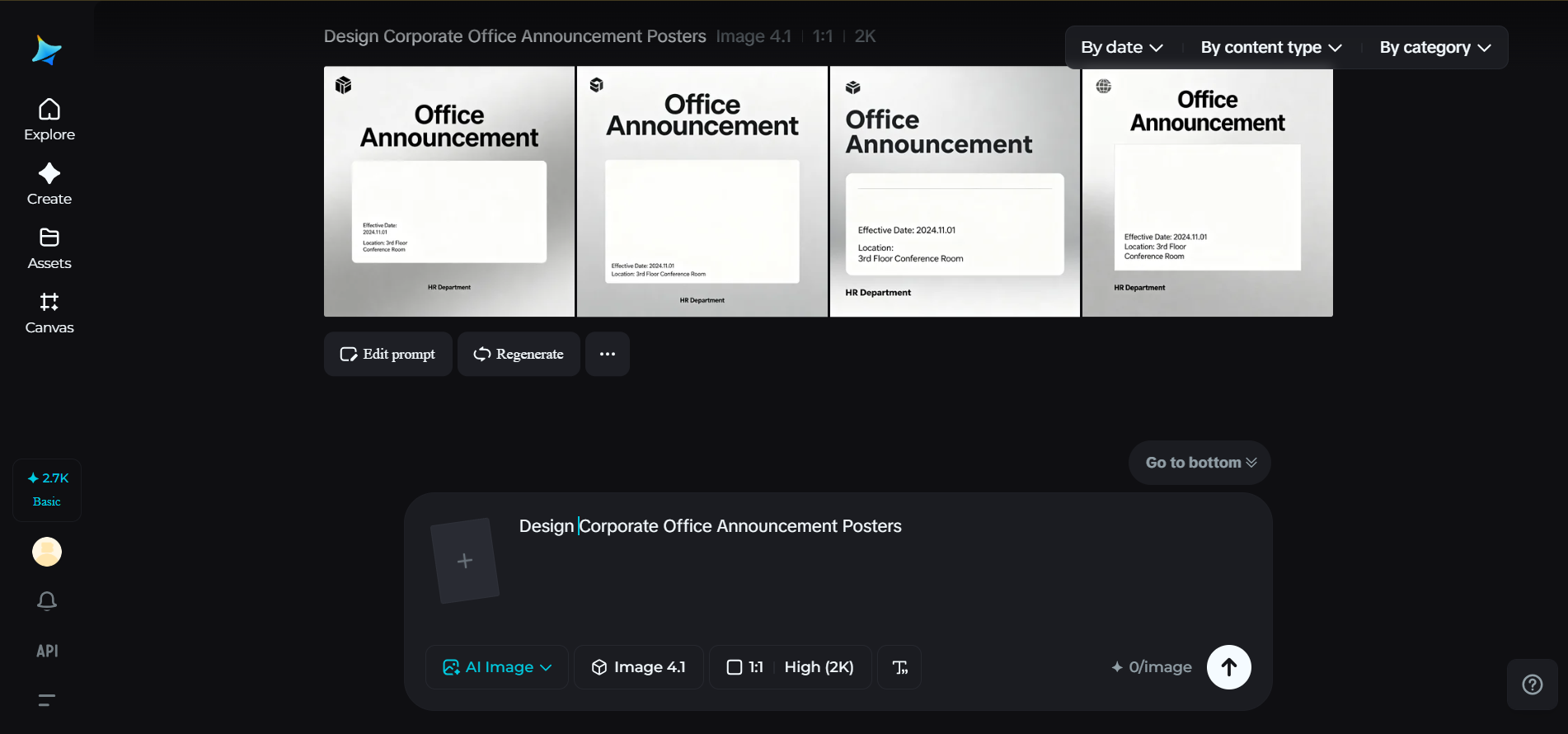
In the following sections of this guide, we will learn how corporate teams design professional office announcement posters and how Dreamina’s simple workflow helps make the creative process efficient.
When office messages become visual communication
Office announcements sometimes get lost in the busy schedules and emails that fill the inbox. A well-placed announcement poster has the potential to grab employees’ attention much more quickly.
For example, an announcement about an upcoming team-building event could be on the wall of the break room, or an announcement about corporate wellness initiatives could be near the entrance of the building. These designs will immediately convey the necessary information while also adding a professional flair to the corporate environment.
Some common types of announcements that corporate announcement posters might highlight include:
- Employee training sessions
- Office events and celebrations
- New company policies and announcements
- Wellness initiatives and programs
This type of announcement will be more easily seen and remembered if it is visually presented.
Bringing clarity and professionalism to office notices
A corporate poster needs to be visually appealing while also conveying the necessary information. This is where AI-generated visual content comes in. By inputting the details of a corporate environment, professional attire, and an office setting, it is possible to design corporate announcement posters that convey professionalism.
For example, if the announcement is for an upcoming leadership seminar, the poster could be of a professional speaking to the company in the conference room.
On some occasions, corporate images used in the announcement may need some adjustments before adding them to the posters. At these times, a photo enhancer may come in handy to improve the image quality.
Creating posters that employees actually notice
For office announcements to be effective, they need to grab attention without overwhelming the audience. Visual communication plays a crucial role in ensuring the announcement highlights the most crucial information at a quick glance.
Effective posters may include:
- Headings that summarize the announcement
- Professional images reflecting the culture of the work environment
- A clean design that can be easily read from a distance
These factors help in transforming the announcement into an effective office visualization tool that employees may naturally glance at during their work hours.
Extending workplace communication across platforms
Today’s work environment combines both physical and digital means of communication. Office posters placed on the notice board may also be used in the organization’s newsletters or work environment collaborations.
A visual design made for an office announcement can be repurposed for:
- Digital display screens in office lobbies
- Announcements on company intranets
- Promoting company events
Companies can take this a step further by producing promotional videos for office initiatives or training programs. In sharing these videos online, a similar design style can be replicated using a YouTube thumbnail maker, ensuring a consistent look in corporate communication.

Defining the visual tone of corporate announcements
The corporate announcement poster should fit the tone of the workplace environment. For instance, a design firm may opt for a bold and playful tone on its corporate announcement poster, while a finance company may opt for a minimalistic and elegant tone on its corporate announcement poster.
Before designing your corporate announcement poster, you should consider the tone you want to convey to your office workers. Some possible corporate announcement tone styles are:
- Professional and clean for policy announcements
- Friendly and energetic for team-building activities
- Motivational for employee recognition
With your tone style in mind, you can then use AI to help you design artwork that fits your company’s tone and style.
Transforming office announcements into effective posters with Dreamina
Dreamina helps in the creation of posters through the transformation of text prompts. This helps in effective office team communication as the AI handles the creative generation process.
Step 1: Writing a text prompt
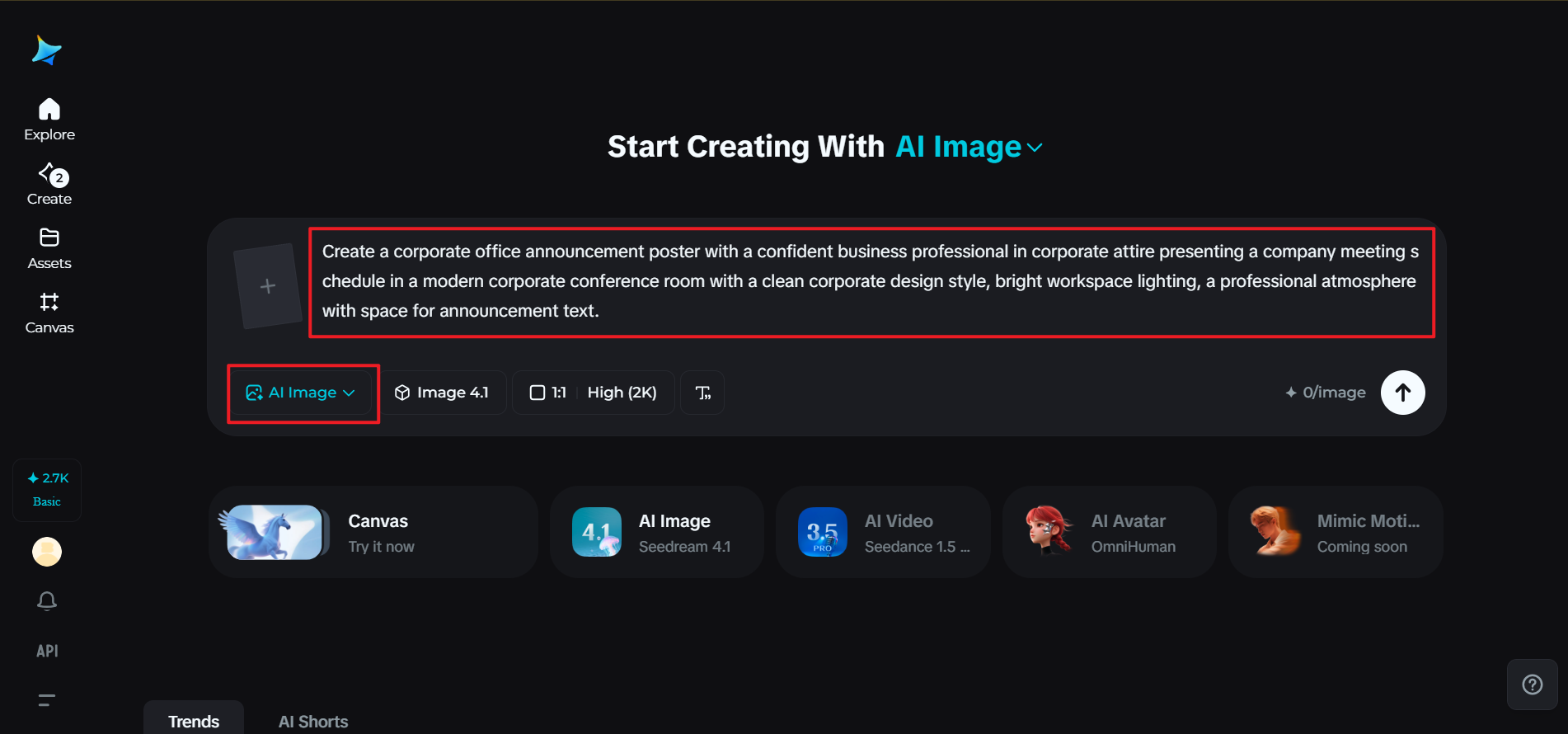
Open Dreamina’s creative workspace and skip the process of selecting an image generator. Begin with writing a detailed prompt on the description of the corporate announcement poster. Describe the office environment, corporate attire, and the announcement message.
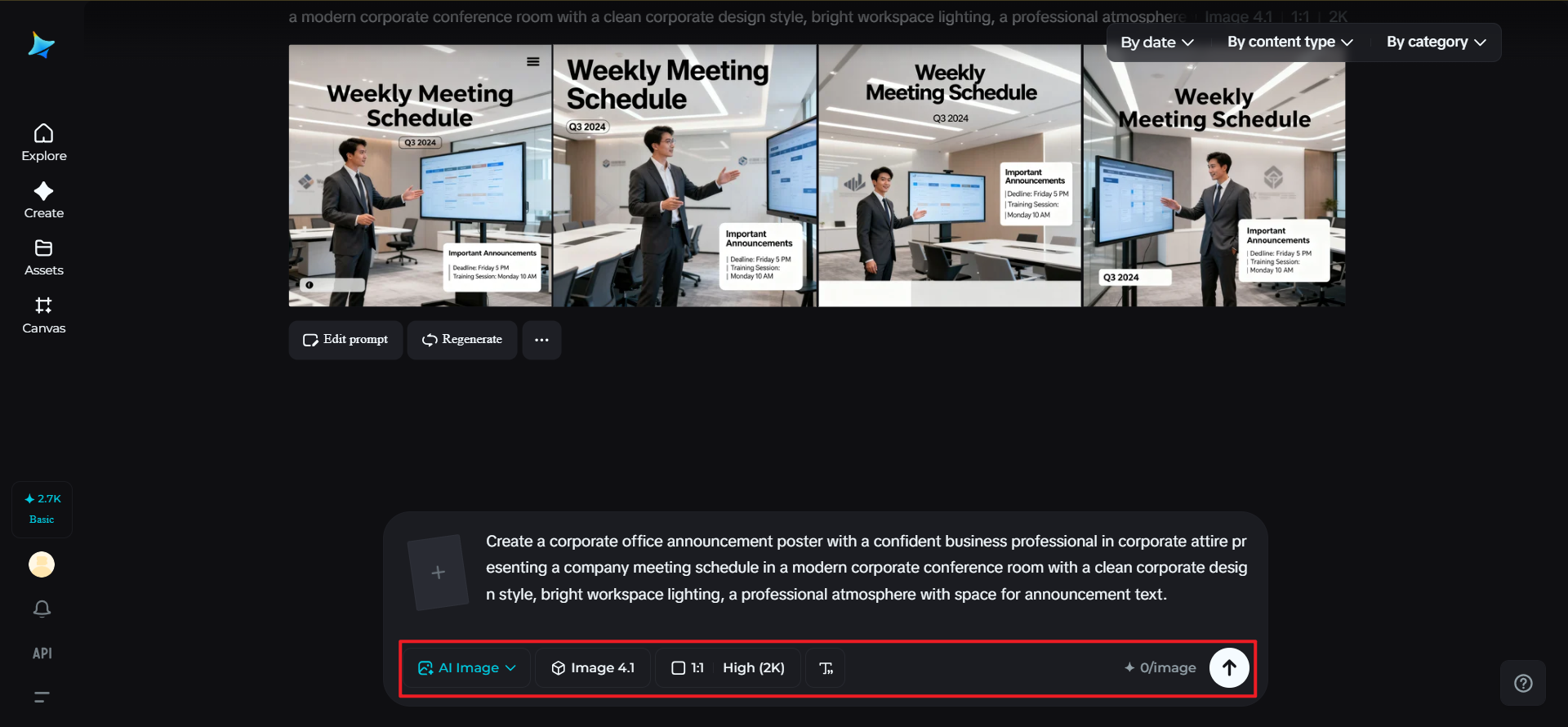
For example: create a corporate office announcement poster with a confident business professional in corporate attire presenting a company meeting schedule in a modern corporate conference room with a clean corporate design style, bright workspace lighting, a professional atmosphere with space for announcement text.
Step 2: Adjust parameters and create
Once the prompt is ready, the next step is to select the most appropriate model for creating the poster-style visual. The aspect ratio of the poster will depend on how it will be displayed. For instance, if the poster will be placed on the notice board or in the office hallway, the vertical aspect ratio will be the most appropriate. The image size and resolution will also be chosen. For instance, the image could be of 1k or 2k resolution. This will ensure that the design of the poster is clear and professional. Once the parameters have been set, click on the generation icon of Dreamina’s AI. This will allow the AI to create the corporate announcement poster.
Step 3: Customize and save
Once the AI has created the poster, the next step will be to customize it using Dreamina’s AI tools. For instance, the inpaint tool could be used to change the design of the poster. The canvas could be extended to increase the space of the layout. The design could also be edited to remove any distracting features. Once the design of the poster is complete and looks professional, click on the Download icon.
Making workplace communication more engaging
Corporate posters can be very useful in making announcements more interesting. Instead of depending on text-based communication, these visual designs can be very useful in making announcements in an interesting manner.
Some useful elements that can be included in an effective announcement poster are:
- A clear title that emphasizes the announcement
- Professional images that reflect office culture
- Proper spacing that maintains simplicity
Such elements ensure that employees get an effective message while also appreciating the visual appeal.
Conclusion: smarter office communication with AI design
Communication in any organization is most effective when it is easily visible and understandable. Posters can be very useful in achieving that in an easy and effective manner.
With Dreamina, office communication can be made more effective through professionally designed announcement posters. Organizations can easily create professional announcement posters with AI-based creativity. Organizations can create visual representations of office scenarios and define some parameters, and Dreamina can create professional announcement posters.
Instead of wasting time designing announcement posters, organizations can now use Dreamina and concentrate on the announcement itself.