
In 2026, remote work, hybrid offices, and digital lifestyles have completely reshaped how programmers build software. Developers don’t have to be confined to one desk configuration. With a second screen, you’re no longer a fan of having an extra screen in a co-working space, a café, an airport lounge, or a home office. That is where a superior portable monitor can prove to be a definite productivity tool.
Screen real estate is important for programmers. Having to write code, debug apps, work with the terminals and read documentation, and check system performance on one monitor at a time can be tiring. A secondary screen adds a significant boost to productivity, helps to avoid frequent window switching and aids concentration when development is lengthy.
In recent years, the portable display market has grown dramatically. More modern models are now designed to provide high refresh rate, improved color accuracy, USB-C simplicity, touchscreen feature and ultra-lightweight design. But not all monitors are appropriate for the developer. Some are used for playing games, and others are used for entertaining or business presentations. A programmer requires displays that are clear, portable, connectable and ergonomic.
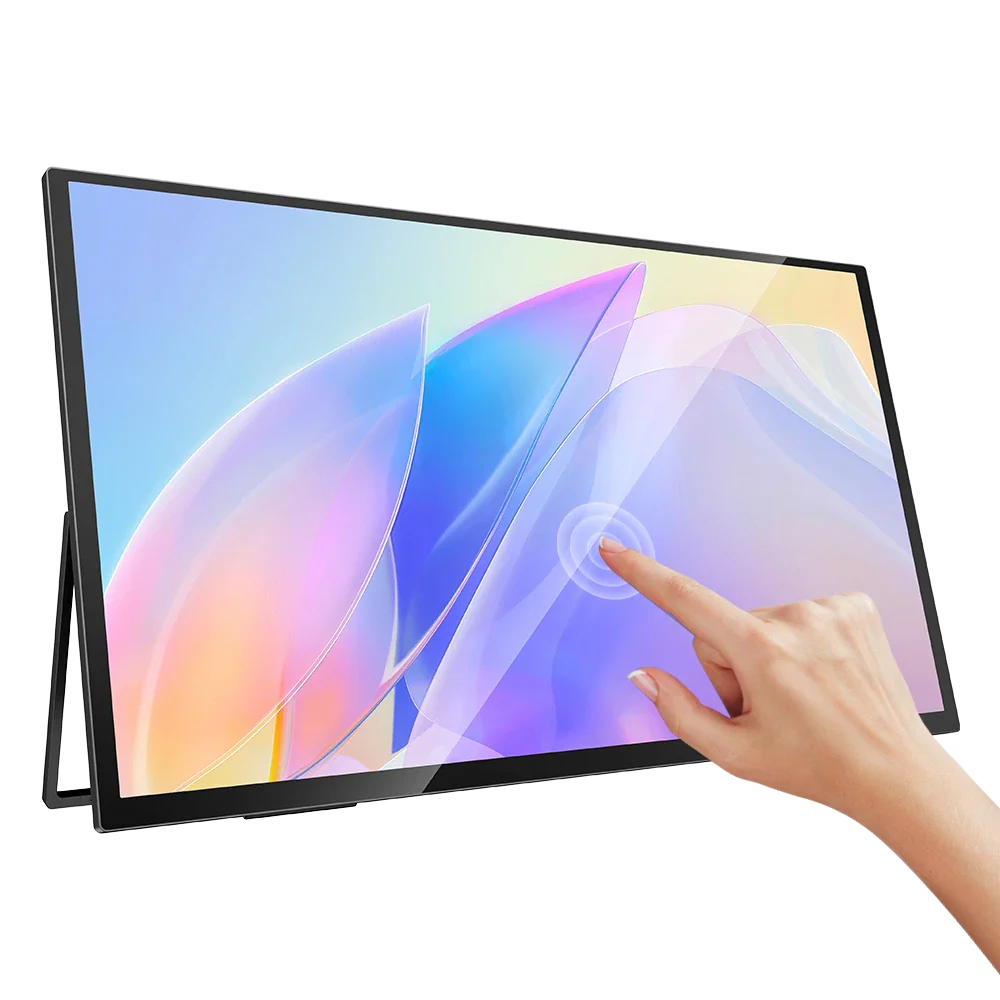
This buying guide will discuss which of the best portable monitors for programmers in 2026 are the best, what features are important in a portable monitor, and how to pick a display for your coding station.
Why Programmers Need Portable Monitors
When coding, often several things have to be done at once. A developer can open an IDE, browser window, terminal windows, API docs, Git dashboards, communication tools, and testing environments all at the same time. It becomes an inefficient situation very quickly when there’s all this on a small 13″ or 14″ laptop.
There are some benefits to having a portable monitor:
-
Improved Workflow Efficiency
A second display allows programmers to use one screen to program and another to debug, document or view it in real time. This reduces the noise and enhances the organization of workflow.
-
Better Focus During Development
Frequent window changes distract from focus. Those who use dual-screen setups claim faster coding speed and less interruptions with context switching.
-
Enhanced Collaboration
Portable monitors are great for pair programming, client demos, code reviews and collaborative development sessions. They make content sharing MUCH easier in the remote / hybrid workspace.
-
Travel-Friendly Productivity
Portable monitors are lightweight and thin as compared to conventional desktop monitors. It’s easy for developers to transport them in laptop bags without introducing unwanted bulk.
Key Features Programmers Should Look For
Developers should know before deciding on a portable monitor, what aspects of a monitor are going to help them improve their coding.
-
Panel Type
Programmers will find IPS panels to be the optimum choice, as they provide:
- Better viewing angles
- More accurate colors
- Consistent brightness
- Improved text clarity
Stay away from the low quality TN panels as they tend to lack contrast and have weak viewing angle.
-
USB-C Connectivity
Today, with cutting edge technology, USB-C is the standard for modern portable displays. Power, video output and data transfer all take place through a single cable.
This helps in cable management and makes it easier for developers to set up from afar.
-
Adjustable Stand & Ergonomics
Programmers work for hours in front of their screens. Properly positioning the body is important in order to avoid neck strain and develop proper posture.
Consider monitors that have:
- Adjustable kickstands
- VESA mount support
- Portrait mode compatibility
- Height adjustment features
Portrait orientation is especially useful for viewing long code files or documentation pages.
-
Eye Care Features
Sitting for long periods of time while working with computers can lead to fatigue and digital eye strain. Features like:
- Flicker-free technology
- Blue light reduction
- Anti-glare coatings
can greatly enhance the comfort.
Best Portable Monitors for Programmers in 2026
-
UPERFECT Delta Max
One of the best dual screen options for programmers 2026 is the UPERFECT Delta Max. Optimized for productivity users, with exclusive dual display configuration which greatly increases multitasking productivity.
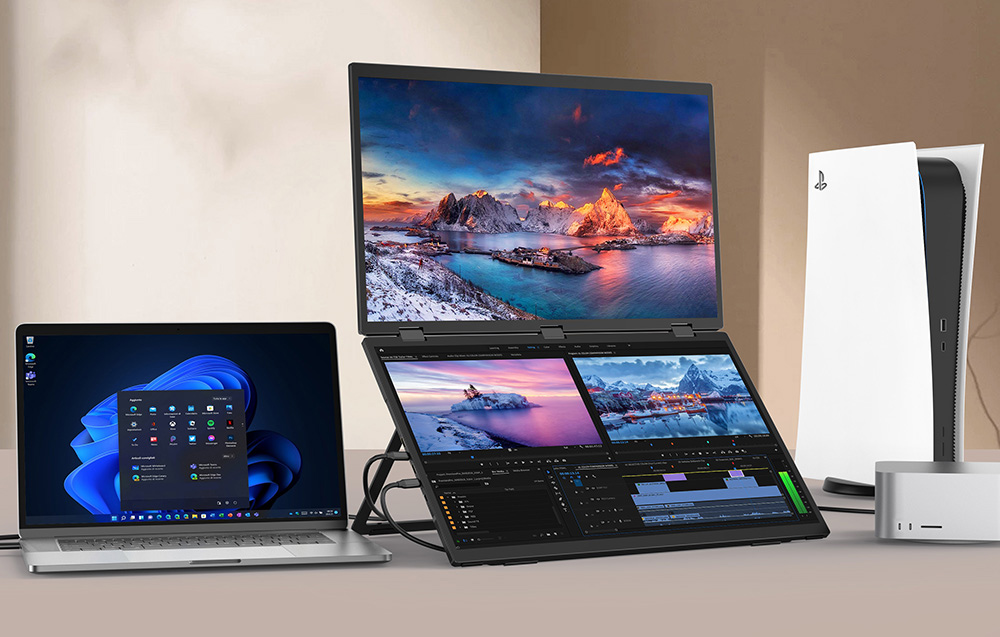
The monitor features:
- Dual 18.5-inch displays
- Full HD IPS panels
- USB-C connectivity
- Adjustable viewing angles
- Lightweight travel-friendly construction
Multiple applications = dual-screen equals extreme productivity boost.
Coding professionals have been choosing the UPERFECT portable monitor line due to its great value-to-features ratio.
-
ASUS ZenScreen OLED MQ16AH
The ZenScreen OLED MQ16AH is the latest model in ASUS’s portable display lineup and continues to lead the portable display market. This monitor features the finest OLED displays, contrast and color fidelity.
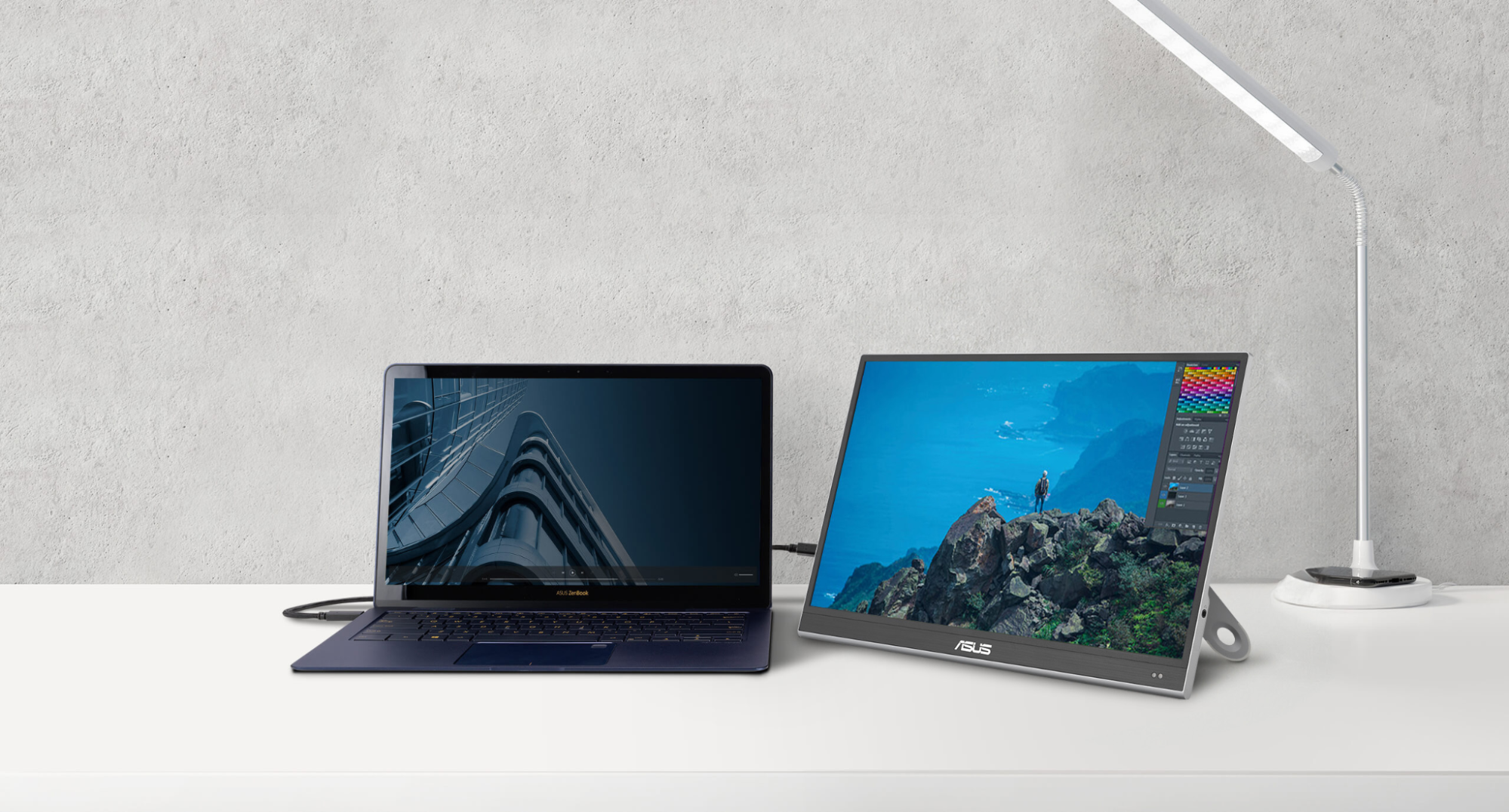
Key advantages include:
- 15.6-inch OLED panel
- Ultra-thin design
- Wide color gamut
- Excellent black levels
- Lightweight aluminum body
For programmers who add to UI/UX design or front end development, the accurate color reproduction will be appreciated.
The small size allows it to be taken with you on your travels and the OLED technology ensures that text is crisp and the image is excellent.
-
Lenovo ThinkVision M14t Gen 2
Lenovo’s ThinkVision series is still well esteemed amongst the business community and developers as well.
The M14t Gen 2 comes with a number of features, including:
- Touchscreen functionality
- 14-inch Full HD IPS panel
- Excellent build quality
- USB-C pass-through charging
- Ergonomic tilt adjustments
The monitor is particularly helpful for developers that annotate diagrams, draw interfaces, or work with touch-based development environments.
It is small enough to be a great choice for developers who have to work from multiple locations.
-
ViewSonic VX1655-4K-OLED
For developers who aim to push for ultra-sharp visuals, they don’t have to look far and find the ViewSonic VX1655-4K-OLED.
Highlights include:
- 4K OLED display
- HDR support
- Exceptional text clarity
- Compact design
- Wide compatibility
This higher level of detail makes the code more readable, particularly if using detailed interfaces or more than one window.
It’s a little more pricey but still worth the extra money for a professional programmer who works on the computer for extended periods every day.
Portable Monitor vs Traditional Monitor
There are many programmers who are wondering if a portable monitor would be able to replace a standard desktop setup. The answer is based upon the workflow needs.
Even traditional monitors will provide:
- Larger screen sizes
- Higher refresh rates
- Better ergonomics
- Superior brightness
Portable monitors, however, are best at:
- Mobility
- Simplicity
- Space-saving setups
- Travel convenience
For small-screen-adverse developers who work at multiple locations, portability may be more of an advantage.
Indeed, these days many programmers can use a portable screen along with a docking station to make a hybrid workstation.
Common Mistakes to Avoid
-
Choosing Style Over Functionality
There are some monitors that pay particular attention to style but compromise on brightness or text clarity, or connectivity. Productivity features must be thought of first for the programmer.
-
Ignoring Ergonomics
Having the screen in the wrong position can cause neck and back pain. Take into account the flexibility with the stands and comfort of viewing.
-
Buying Low-Brightness Displays
Bright lighting conditions in cafés or co-working spaces makes it hard to use dim monitors. Seek out displays that have a brightness of 300 or higher.
-
Over paying for Gaming Features
High refresh rate and gaming specific features may not be as significant for programming work. Most coders will be better served with good text clarity and reliable connectivity.
Future Trends in Portable Monitors
The portable display industry is a rapidly changing business. The industry will be influenced by several trends in the near future:
-
OLED Becoming Standard
OLED technology is becoming more economical and is giving a better contrast and improved readability for programmers.
-
Wireless Connectivity
Wireless display technologies and better batteries will be used for fewer monitors in the future.
-
AI-Enhanced Productivity Features
Brighter for better ergonomics, posture reminders, and workspace management tools are among the features being built into the manufacturing process.
-
Foldable Displays
Foldable portable monitors are likely to become more commonplace, offering developers even bigger workspaces in a portable style.
Final Thoughts
The right portable monitor for programming in 2026 will vary based on your workflow, mobility requirements and budget. Travelers are looking for lightweight construction along with convenience of the USB-C port, while power users will be looking for larger or higher-resolution screens.
A good portable monitor can make coding more efficient, less workflow interruption, and make the coding environment more comfortable, whether you’re in the office or out in the field.
In today’s market, the UPERFECT portable monitor series remains as one of the most developer-friendly, versatile, and cost-effective choices. Regardless if you’re a software engineer, a web developer, a data scientist or a cybersecurity specialist, having the right secondary display can significantly boost your productivity and overall coding experience.
Portable monitors are no longer an accessory for the programmer, but quickly became part of the modern programmer toolkit, as remote work and mobile productivity keeps expanding.