
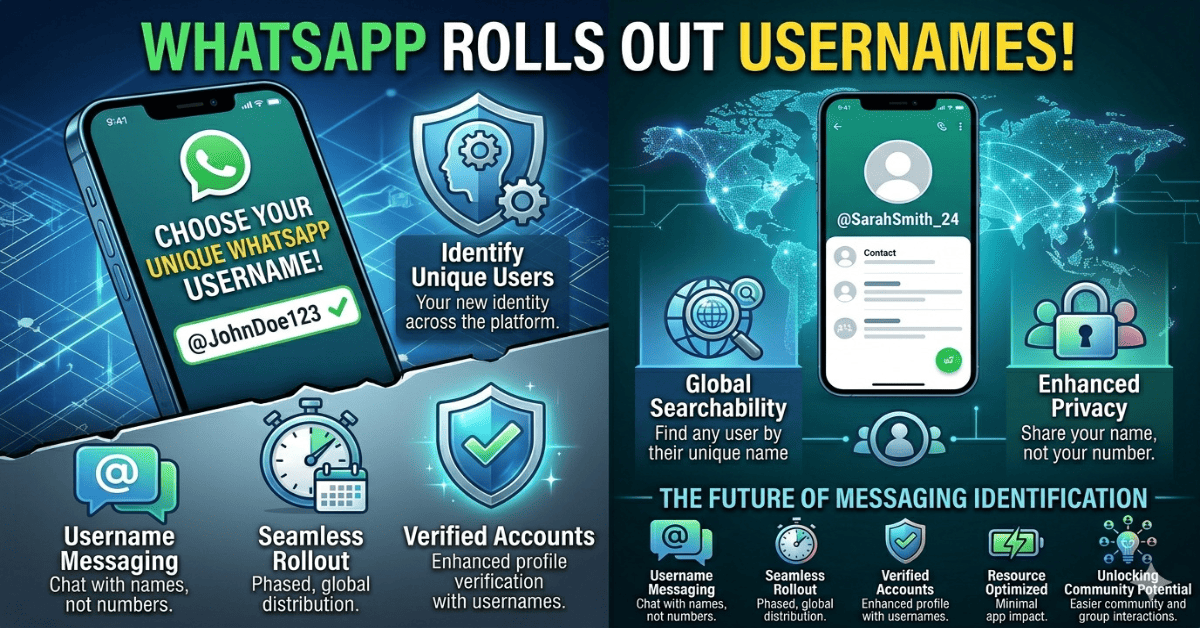
The biggest privacy upgrade in WhatsApp’s history is here — and it changes everything about how you connect with people.
Picture this: you meet someone new — a potential client, a freelancer, a community member — and they ask for your WhatsApp. For over a decade, that meant handing over your personal phone number to a complete stranger. No way around it. No alternative. Just… your number, out there.
That era just ended.
On April 8, 2026, WhatsApp quietly began rolling out one of the most requested features in its history: usernames. Instead of exchanging digits, you can now share a simple handle — something like @yourname — and let people message you without ever knowing your phone number.
It sounds small. It isn’t. This is the most significant shift in how WhatsApp works since end-to-end encryption launched back in 2016. Here’s everything you need to know.
1. What Is the WhatsApp Username Feature?
The WhatsApp username feature is a new, optional identity layer that lets you create a unique handle tied to your account. Think of it like your Instagram or Telegram username — except on WhatsApp, with all the privacy and encryption the platform is known for.
Once you have a username, anyone who knows it can search for you and start a conversation directly. No phone number required. Your number stays hidden behind the scenes — stored as a backend detail rather than something you have to publicly share every time you want to connect.
| 🔑 Key Point
Your phone number is still required to register and maintain your WhatsApp account. What changes is that you no longer have to share it to connect with someone new. |
This single distinction — between your number being necessary vs. visible — is what makes this update genuinely transformative, especially for people who use WhatsApp for business, communities, or any situation where they’d rather not hand out personal contact details.
Before & After: What Actually Changes
| ❌ Before Usernames
• Share phone number to connect • Number visible in group chats • Anyone with your number can message you • No control over who sees your digits • Privacy limited to blocking |
✅ After Usernames
• Share a username handle instead • Phone number stays hidden from new contacts • Control who can reach you • Optional 4-digit key for extra security • Privacy built into your identity |
2. Why Does This Matter So Much?
To understand why this is a big deal, you have to understand the problem it’s solving.
Your phone number is more personal than most people realize. It can be used to find you on other platforms, to add you to WhatsApp groups without your permission, to spam you with marketing messages, or — in more serious cases — to expose you to harassment. There’s a reason millions of people have switched to Telegram or Signal over the years: those apps have had usernames for a long time.
WhatsApp has over two billion users. When a privacy feature rolls out at that scale, it doesn’t just help individuals — it meaningfully changes how a significant portion of the world’s online communication works.
| 💬 Editorial View
Usernames aren’t just a feature. They’re WhatsApp acknowledging that the phone number system — while convenient — was never really built for the modern way people use the app. |
In 2026, people use WhatsApp for business support, content creator communities, e-commerce, customer service, and dozens of other professional contexts. The old system forced a level of personal disclosure that simply doesn’t belong in those situations.
Usernames fix that. Cleanly, simply, and without breaking anything about how WhatsApp already works.
3. How to Set Up Your WhatsApp Username (Step-by-Step)
If the feature has reached your account, setting up a username takes less than two minutes. Here’s how:
| 1 | Open WhatsApp and go to Settings
Tap the three-dot menu (Android) or the Settings tab (iOS) from your main chat screen. |
| 2 | Tap on your Profile
This opens your profile editing page, where your name, photo, and About section live. |
| 3 | Look for the Username field
If the rollout has reached your account, you’ll see a new ‘Username’ option below your display name. A pop-up may also appear automatically on iOS. |
| 4 | Choose your username
Enter your desired handle. WhatsApp will check availability in real time across Meta platforms (Instagram, Facebook, and WhatsApp). |
| 5 | Enable the Username Key (optional but recommended)
This adds a 4-digit code on top of your username. First-time contacts must know both your username AND this code to message you — a powerful extra layer of protection. |
| 6 | Confirm and save
Your username is now linked to your account. Share it freely — your phone number stays private. |
| ⚠️ Don’t see the Username field yet?
WhatsApp is doing a phased rollout — not everyone gets it at the same time. If it’s not in your profile yet, check back over the next few weeks. The global launch is expected around June 2026. Stay on the latest app version to get it as soon as it arrives. |
4. WhatsApp Username Rules & Character Limits
Before you go claiming a username, there are a few rules you need to know. WhatsApp has set clear guidelines to keep the system clean, consistent, and abuse-resistant:
| Rule | Allowed? | Details |
| Lowercase letters (a–z) | ✓ Yes | Usernames are case-insensitive by default |
| Numbers (0–9) | ✓ Yes | Allowed but cannot be the only characters |
| Periods ( . ) and underscores ( _ ) | ✓ Yes | Both allowed as separators |
| Must include at least one letter | ✓ Required | Pure number/symbol usernames not allowed |
| Length: 3 to 35 characters | ✓ Required | Short names go fast — act early |
| Starting with ‘www.’ | ✗ Not Allowed | Prevents confusion with official websites |
| Ending with .com, .net etc. | ✗ Not Allowed | Domain-like endings are blocked |
| Must be unique across Meta platforms | ✓ Required | Available on Instagram, Facebook & WhatsApp |
That last point is worth sitting with for a moment. Your WhatsApp username must be unclaimed on all Meta platforms simultaneously. If someone already has @yourname on Instagram, you won’t be able to use it on WhatsApp. This cross-platform uniqueness means clean, common handles are going to be extremely competitive once the full rollout begins.
5. What This Means for Businesses (BSUID Explained)
If you run a business that uses WhatsApp to communicate with customers, this update affects you more than you might think — and there’s a deadline involved.
WhatsApp is introducing a new behind-the-scenes identifier called the Business-Scoped User ID (BSUID). In simple terms, this is a unique code that links a specific customer to your business account — without either party needing to share a phone number.
Why BSUIDs Exist
Currently, businesses identify customers by their phone numbers in CRMs, chatbots, and customer support tools. When a customer sets a username and hides their number, that old system breaks. BSUIDs are the replacement — a privacy-respecting way to maintain a continuous relationship with a customer even when their phone number is no longer visible.
The June 2026 Deadline
WhatsApp has given businesses using the WhatsApp Business API a clear mandate: all systems must be updated to support BSUIDs by June 2026. If your CRM, chatbot, or automation platform isn’t BSUID-ready by then, you risk losing track of customer data when users adopt usernames.
| 💼 For Business Owners
Talk to your WhatsApp Business API provider or CRM vendor now. Ask them specifically about BSUID support and when their integration will be ready. This is not optional — it’s infrastructure. |
The upside for brands? A recognizable username means customers can find you by name, not just through a contact card or link. Think of it as your brand finally having a proper handle on the world’s largest messaging platform — just like you do on Instagram or X (formerly Twitter).
6. Rollout Timeline: When Will YOU Get It?
WhatsApp began the initial beta rollout on April 8, 2026, making the feature available to a limited number of users on both Android and iOS. The app was tested extensively before this point, with code spotted in beta builds as far back as late 2025.
The company is taking a deliberately careful, phased approach — sensible given that nearly three billion people use the app. A single broken roll-out at that scale would be catastrophic, so WhatsApp is expanding access gradually, testing stability at each stage before broadening availability.
The current best estimate for a global public launch is around mid-2026, likely June — which aligns with the business compliance deadline. If you’re on the latest version of WhatsApp and don’t see the username field yet, that’s normal. Keep auto-updates on and check your profile settings periodically.
7. Tips to Claim the Best Username Fast
Simple, clean usernames are going to disappear quickly once this opens up fully. Here’s how to position yourself:
- Check your Meta handles now — Check your Instagram and Facebook username right now. If the same handle is available across all three Meta platforms, you’re in a strong position to claim it on WhatsApp the moment it becomes available to you.
- Keep it short & memorable — Keep it short, real, and memorable. The best usernames are 8–15 characters, easy to spell verbally, and ideally match your actual name or brand. Avoid extra underscores and numbers where possible.
- Enable the username key — Enable the username key. The optional 4-digit code adds a layer of filtering — only people you’ve given both pieces of information to can initiate contact. It blocks a lot of unwanted messages.
- Businesses: stay consistent — For businesses, be consistent with existing branding. If you’re @YourBrand on Instagram, fight for that same handle on WhatsApp. A consistent identity across platforms builds instant trust and recognition.
8. Frequently Asked Questions
Q: Do I still need a phone number to use WhatsApp?
A: Yes. A phone number is still required to register and maintain your WhatsApp account. What changes is that you no longer have to share your number to connect with new people — you can use your username instead.
Q: Is setting a username mandatory?
A: No. Usernames are entirely optional. If you prefer to continue using WhatsApp the way you always have — phone number first — you can do that. Nothing in your existing chats or contacts will change.
Q: Will my username be visible to everyone?
A: Your username is your chosen public handle — it replaces your phone number as the thing you share with new people. You control who you share it with. However, once shared, the person can use it to find and message you.
Q: Can someone find me on WhatsApp just by knowing my username?
A: Yes, by default. If you enable the optional 4-digit username key, they’ll also need that code before they can message you for the first time — adding an extra privacy gate.
Q: Does the WhatsApp username feature affect encryption?
A: No. End-to-end encryption remains fully intact. Usernames are simply a new way to identify yourself — the underlying message security is unchanged.
Q: Can I change my username later?
A: WhatsApp hasn’t published specific details on frequency limits for changing usernames, but the expectation based on how other Meta platforms work is that changes will be allowed with possible cooldown periods.
Q: What if my desired username is taken on Instagram but not Facebook?
A: Since WhatsApp requires the username to be available across all three Meta platforms simultaneously, you won’t be able to claim it. You’ll need to pick a different handle that is available on Instagram, Facebook, and WhatsApp at the same time.
🏆 The Bottom Line
WhatsApp usernames are the kind of update that changes how you use an app without making it feel different. Your chats stay the same. Your encryption stays the same. Your contacts stay the same. But the way you share yourself with new people is fundamentally better — safer, cleaner, and finally on your own terms. Whether you’re protecting your privacy as an individual or building brand identity as a business, this is a feature worth getting to early.